A walk-in waitlist and booking page for studios, shops and venues
Guests scan a QR code at the door, join the line from their phone and get a text when it's their turn. Groups book a time ahead from your booking page. It is the same system restaurants use, for businesses where people arrive as a party and wait for a spot.
- Guests join by QR code or link
- A live place in line on their phone
- Texts for the first 25 parties a month on Free
- Unlimited bookings and waitlist parties
- No card to sign up
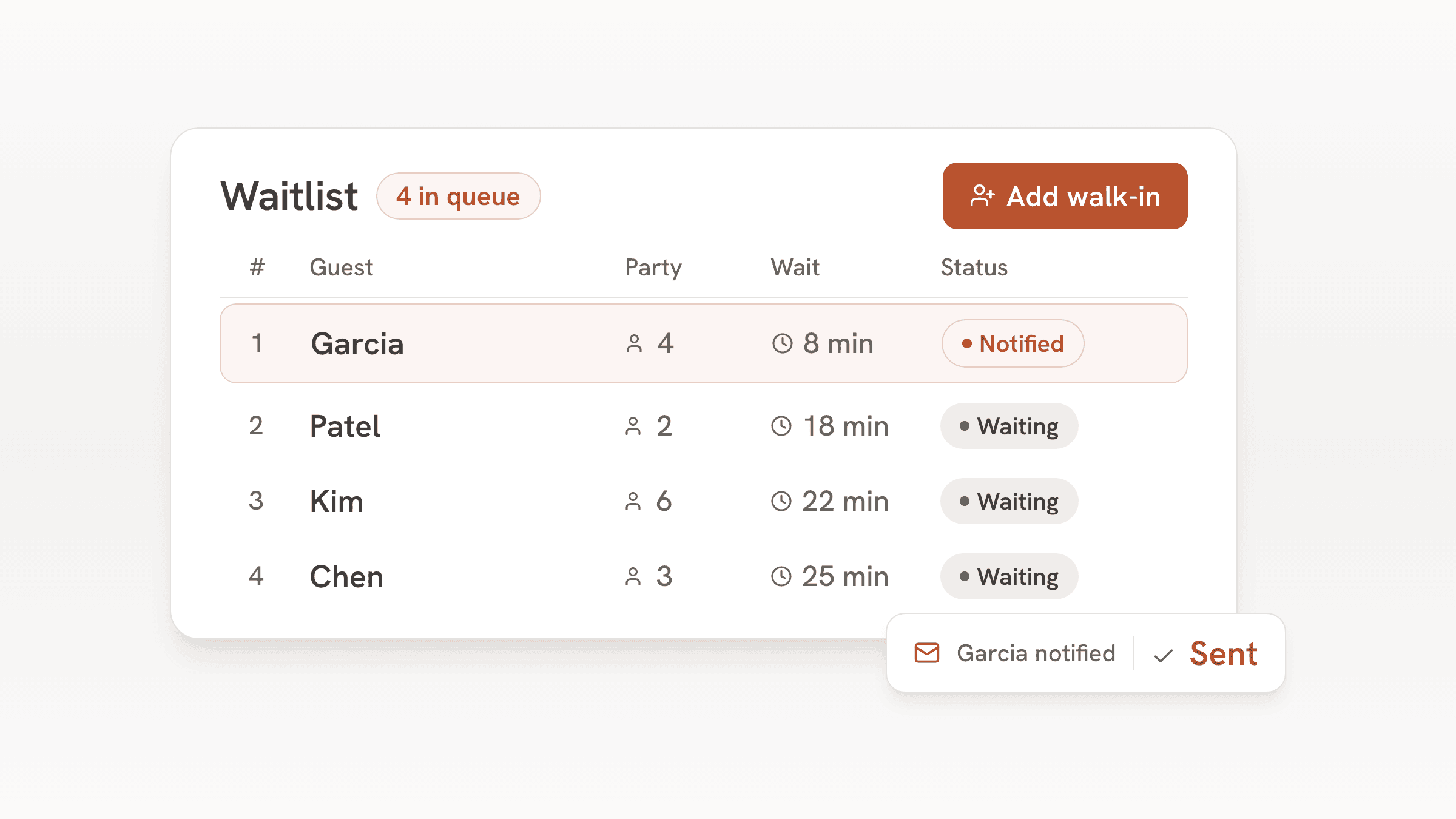
bavoli started as a reservation and waitlist system for independent restaurants. Plenty of other businesses fill up the same way a restaurant does: people arrive as a party that waits for a free table, chair, station or lane, or as a group that books a start time ahead.
bavoli handles that part on every plan, including Free. The pages below walk through a day for each kind of business, the plan that fits and what bavoli does not do yet, so you can tell before you sign up whether it suits the way you work.
Businesses it fits
Each page covers a typical day, the settings that matter, the plan that fits and the gaps.
- Paint-your-own pottery studiosWalk-ins wait for a table on busy weekends, and birthday groups book a table ahead.
- Walk-in barbershopsClients check in from the door or your Instagram and get a text when a chair opens.
- Nail salons with walk-insWalk-ins wait where they like and get a text when a station opens. Bridal parties book ahead.
- Bowling alleys and lane venuesGroups wait for a lane at the bar and get a text when it's ready. Parties book a start time ahead.
- Karaoke venuesGroups book a private room ahead, and walk-ins get a text when a room opens.
- Escape roomsTeams book a start time online, and walk-ins get a text when a room opens up.
- Board game cafesGroups book a table for game night, and walk-ins get a text when a table frees up.
What you get
- A waitlist guests join from a QR code or a link, with a live page on their phone that shows their place in line
- A text or an email when it's their turn, sent with one tap from any phone, tablet or laptop
- A booking page where groups pick a date, a time and their party size, with email confirmations and reminders
- Rules for online booking: the smallest and largest party, how many groups can start in each time slot, and how far ahead guests can book
- A floor plan of your tables, chairs, stations or lanes, so staff can see what is free and seat the next party
- A guest book that fills itself from every booking and waitlist entry, with notes and visit history, and exports as a CSV file
- A simple website with your hours, your booking page and your waitlist link
- Staff logins for the whole team
- Card holds and no-show fees on Plus and Pro, once you connect a Stripe account
- A custom domain for your website on Pro
Same plans and prices as restaurants
Businesses that are not restaurants get the same plans at the same prices. Bookings, waitlist parties, tables and staff logins are unlimited on every plan, and no plan charges per booking or per guest. The plans differ in how many parties get texts each month, card holds with a no-show fee, and a custom domain.
| Plan | Price | Texted parties | Adds |
|---|---|---|---|
| Free | $0, no end date | The first 25 parties each month | Waitlist, bookings, floor plan, guest book, website and email updates. A small bavoli badge on your pages. |
| Plus | $30 a month or $300 a year | Up to 500 parties a month | Card holds and no-show fees on online bookings. Hide the bavoli badge. |
| Pro | $60 a month or $600 a year | Up to 1,500 parties a month | Everything in Plus and a custom domain for your website. |
A party is one booking or one waitlist entry, and it counts once a month however many texts it gets. Past a plan's allowance nobody is turned away: guests follow their place in line on the live status page, and guests who left an email address get updates by email.
For one unusually busy month, an Event pass ($150, one time) keeps the most important text going, the one that says it's their turn or reminds them of a booking, for up to 10,000 more parties in the US over 30 days.
What bavoli does not do yet
bavoli books parties into time slots and runs a waitlist. It was built for tables and walk-ins, and these parts are missing today:
- Appointment calendars for each staff member. A client can't book a specific barber, nail technician or instructor.
- A service menu with prices and lengths, such as a 30 minute cut or a 90 minute set of acrylics.
- Sales of classes, tickets, packages, memberships or gift cards, and signed waivers.
- Deposits or full payment when a group books. On Plus you can hold a card and charge a flat no-show fee instead.
- Menus, online ordering and the AI phone agent. These are for restaurants, and the dashboard hides them for other businesses.
- Blocking a table, lane or room for the full length of a booking. A booking holds a start time, and you set how many groups can start in each time slot.
- Some guest screens still use restaurant words. The booking page and the waitlist status page say "table" and "host stand" in places.
Getting set up
- 1
Sign up
Create an account with your email. No card is needed, and the Free plan has no end date.
- 2
Say what kind of place it is
Setup asks what kind of place you run. Unless you want restaurant menus and online ordering, pick "Studio, club or walk-in venue with tables", including for a walk-in barbershop or nail salon. The "Appointments" option is for one-on-one bookings with a chosen staff member, and setup warns that bavoli may not fit that kind of work. The venue option skips the menu and ordering steps, and the waitlist, bookings and plans work the same as for a restaurant.
- 3
Add your hours and your tables
Enter your opening hours, then add the tables, chairs, stations or lanes guests wait for. They become your floor plan.
- 4
Put the QR code by the door
Print the waitlist QR card from the booking page screen, and share your booking link on your website and social accounts.
Frequently asked questions
Can a business that isn't a restaurant use bavoli?
Yes. Setup asks what kind of place you run, and every business gets the waitlist, the booking page, guest texts and email, the guest book, the floor plan and the website. It fits best where people arrive as a party and wait for a free table, chair, station or lane, or book a start time as a group. It fits poorly where each client books a specific staff member for a specific service.
Do businesses that aren't restaurants pay a different price?
They pay the same as restaurants. Free is $0 with no end date, Plus is $30 a month and Pro is $60 a month. Paying yearly costs $300 for Plus and $600 for Pro.
Do my customers get text messages?
Yes. On Free the first 25 parties each month get texts, Plus texts up to 500 parties a month and Pro up to 1,500. Guests who tick the box when they join get texts about their place in line, including one when it's their turn. Everyone also gets a live status page, and guests who leave an email address get email updates.
Can clients book a specific staff member?
No. bavoli has no calendars per staff member and no service menu. Clients join the line or book a time for their party, and your team decides who serves them. If most of your work is booked one-on-one with a chosen staff member, an appointment app will fit better.
Can I take deposits for group bookings?
bavoli doesn't collect deposits up front. On Plus ($30 a month) and Pro, once you connect a Stripe account, you can protect group bookings with a card hold instead. Guests add a card when they book online, and bavoli places a hold on it for the no-show fee you set. The fee is one flat amount per booking, and it is charged only if the group doesn't show. To keep it to groups, set the smallest party that can book online to your group size and let smaller parties walk in.
Do I need special hardware?
No. bavoli runs in the browser on the phones, tablets and laptops you already have, and the QR card prints on plain paper.