A lane waitlist and group bookings for bowling alleys
When every lane is taken, groups join the waitlist from a QR code at the desk, wait at the bar or the arcade, and get a text when a lane opens. Birthday parties and office outings book a start time ahead.
- Groups join by QR code
- A text when a lane opens
- Parties book ahead
- No-show fees on Plus
- Texts for the first 25 parties a month on Free
- No card to sign up
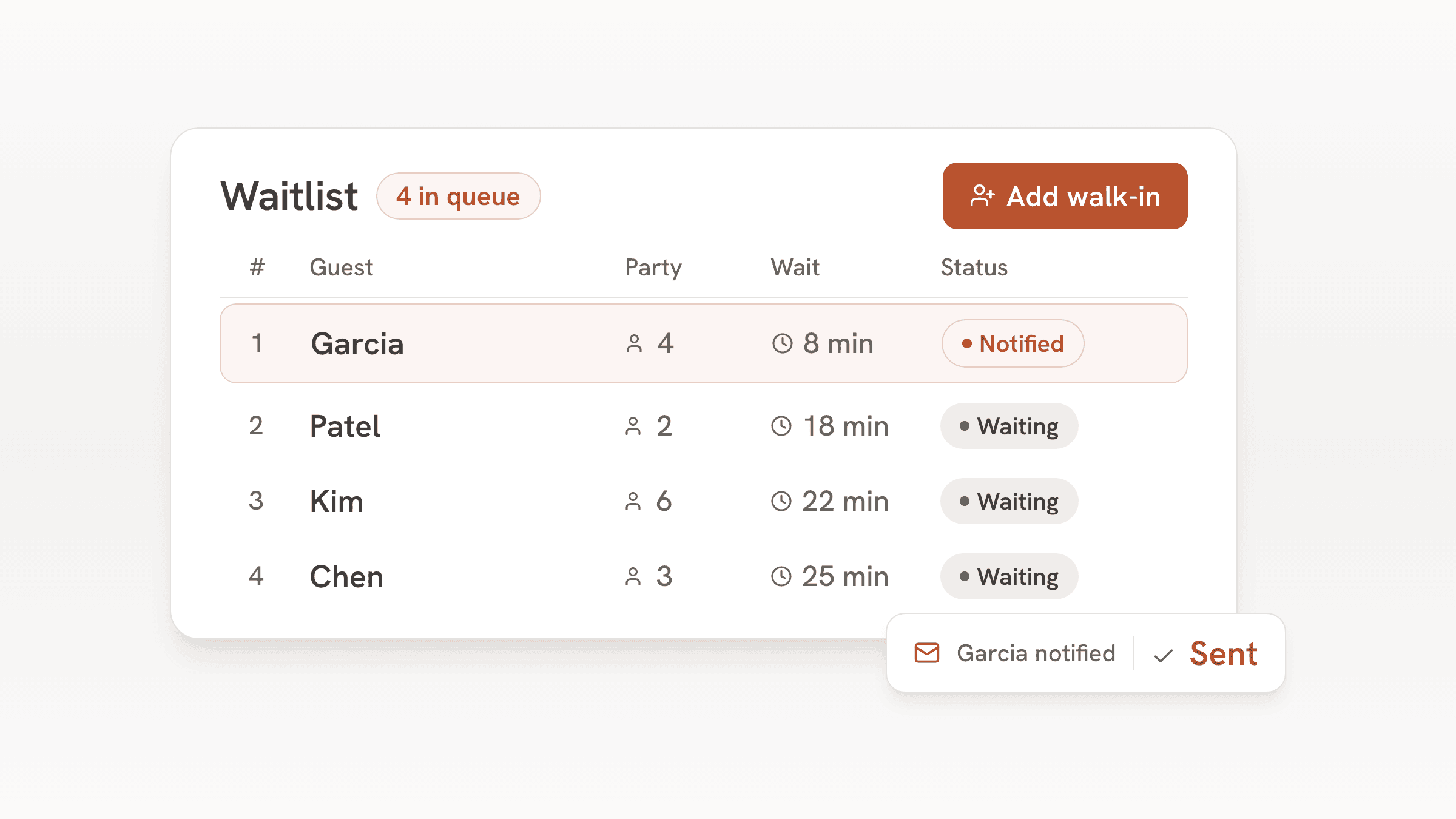
On a Friday night the desk hears the same question every few minutes: how long for a lane? Without a list the answer is a guess and a name on a notepad, and groups who don't want to stand at the counter drift off.
With bavoli, groups join the list from their phone and wait at the bar or the arcade until the text arrives. Parties that booked ahead are on the same list, and your lanes sit on a floor plan so the desk sees what's open. The same setup works for pool tables and golf simulator bays.
A Friday night at the lanes
- 5:00
The night's parties are on the list
A birthday party of 10 at 6:00 with a card held for the no-show fee, and an office group of 16 at 7:30. The desk knows which lanes to hold.
- 7:00
Every lane is taken
Groups scan the QR card at the desk, enter a name, a mobile number and their group size, and see their place in line. When the desk adds a group by hand, it can quote a wait.
- 7:40
A lane opens
The desk taps the next group. bavoli texts them that it's their turn, and their status page updates.
- 7:45
Seat them on a lane
Each lane is a table on your floor plan. Tap the lane to seat the group, and the list moves up.
- Closing
Tomorrow's parties are set
Groups who booked get an email reminder before their visit, and every group is in your guest book for the next birthday.
What the desk uses
A lane waitlist by QR code
Put the QR card on the desk and by the bar. Groups join from their phone with no app to download.
A text when a lane opens
One tap sends it. On Free the first 25 parties each month get texts, Plus texts up to 500 and Pro up to 1,500.
Lanes on a floor plan
Add each lane as a table and group them into areas, like the main lanes and a party section. The desk sees which are free.
Group bookings with limits
Set the smallest and largest group that can book online and how many groups can start in each time slot, up to 20.
No-show fees on Plus
Hold a card on online bookings and charge a flat no-show fee only if the party doesn't come, so a party that never shows pays your fee for the Saturday lanes it held. Needs Plus and a connected Stripe account.
Logins for the whole desk
Staff logins are unlimited on every plan, so everyone at the desk and the bar sees the same list.
Which plan fits a bowling center
A group of eight waiting for a lane is one party, so a busy night uses fewer texts than the head count suggests.
| Plan | Price | Texted parties | Adds |
|---|---|---|---|
| Free | $0, no end date | The first 25 parties each month | Waitlist, bookings, floor plan, guest book, website and email updates. A small bavoli badge on your pages. |
| Plus | $30 a month or $300 a year | Up to 500 parties a month | Card holds and no-show fees on online bookings. Hide the bavoli badge. |
| Pro | $60 a month or $600 a year | Up to 1,500 parties a month | Everything in Plus and a custom domain for your website. |
For example
A 16-lane center with about 30 groups on the list each Friday and Saturday night and about 50 group bookings a month has about 290 parties a month to text. That fits Plus at $30 a month, which texts up to 500 parties a month.
For example
A 32-lane center with about 80 groups on the list each weekend night and about 150 group bookings a month has about 790 parties a month to text. That fits Pro at $60 a month, which texts up to 1,500 parties a month.
Card holds and no-show fees for birthday parties come with Plus and Pro.
Guests add a card when they book online, and bavoli places a hold on it for the no-show fee you set. The fee is one flat amount per booking, and it is charged only if the group doesn't show. To keep it to groups, set the smallest party that can book online to your group size and let smaller parties walk in.
What bavoli doesn't do for a bowling center yet
bavoli runs the line and the bookings. These stay with your other systems:
- It doesn't connect to your lane management or scoring system, and it doesn't turn lanes on or off.
- It doesn't take deposits, price by game or by hour, rent shoes, sell party packages or run leagues. The no-show fee on Plus is one flat amount per online booking.
- A booking holds a start time. You set how many groups can start in each time slot, up to 20, and bavoli doesn't block a lane for the full length of a booking.
- Some guest screens still use restaurant words. The booking page and the waitlist status page say "table" and "host stand" in places.
Frequently asked questions
Can groups join the lane waitlist before they arrive?
Yes, if you share the link. The waitlist link works from anywhere, so you can post it on your website and social accounts. If you only want groups who are already in the building, keep the QR card at the desk and leave the link off your website.
Can a party book a specific lane?
No. A party books a start time for its group size, and the desk picks the lane when they arrive.
Can I take a deposit for birthday parties?
bavoli doesn't collect deposits up front. On Plus ($30 a month) or Pro, once you connect a Stripe account, you can protect birthday bookings with a card hold instead. Guests add a card when they book online, and bavoli places a hold on it for the no-show fee you set. The fee is one flat amount per booking, and it is charged only if the group doesn't show. To keep it to groups, set the smallest party that can book online to your group size and let smaller parties walk in.
Does it work for golf simulator bays or pool tables?
Yes, the same way. Each bay or pool table is a table on the floor plan, groups wait on the list, and parties book a start time. Set how many groups can start in each slot so bookings never outnumber your bays. The limit goes up to 20 groups per slot.
Do I need new hardware?
No. The desk runs bavoli in the browser on the computer or tablet it already has, and staff can use their own phones.