A walk-in waitlist for barbershops
Clients check in from a QR code on the door or the link in your Instagram bio, watch their place in line on their phone and get a text when a chair opens. Barbers see the whole line on any phone or tablet in the shop.
- Check in by QR code or link
- Live place in line on their phone
- A text when a chair opens
- Texts for the first 25 parties a month on Free
- No card to sign up
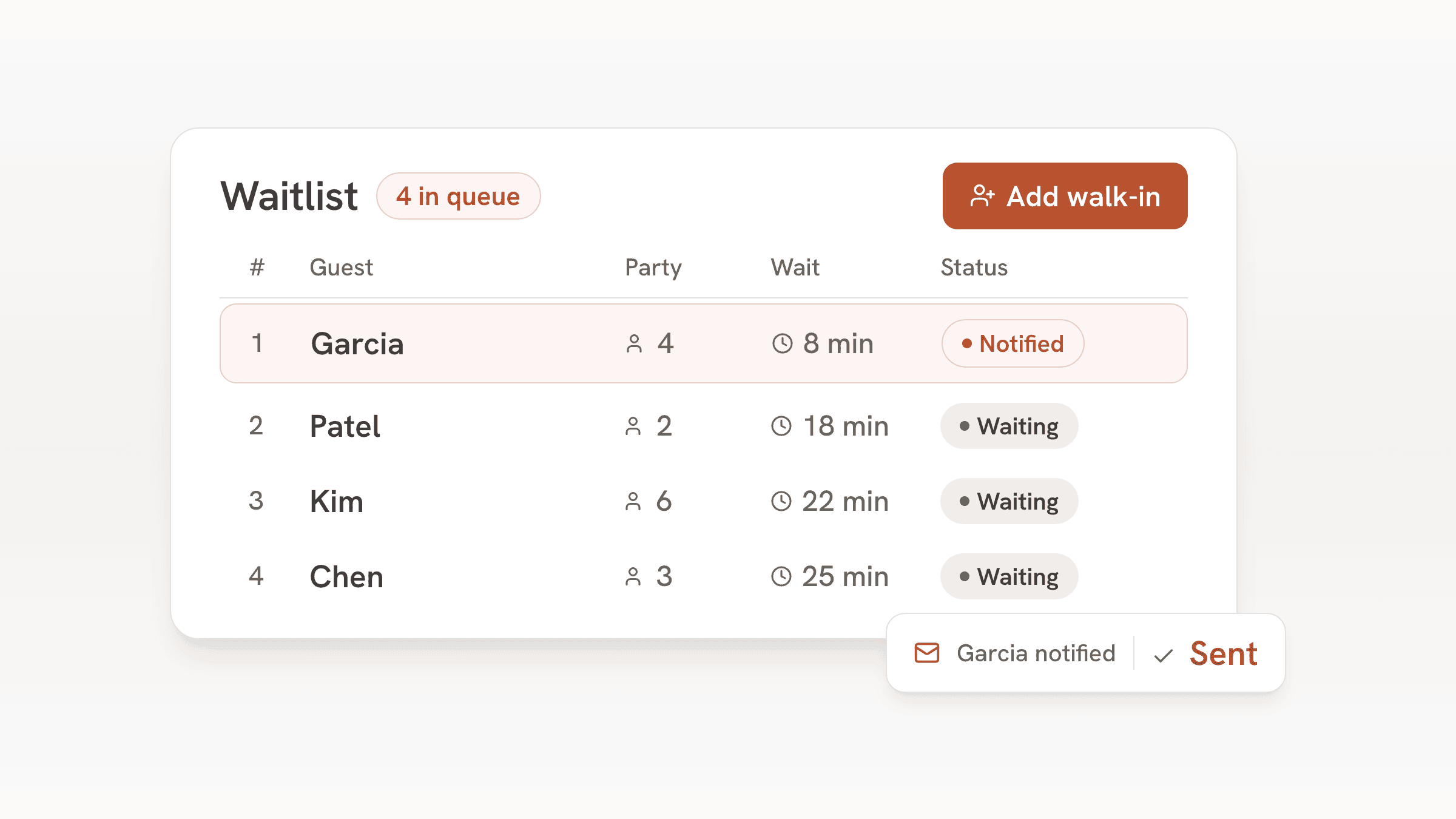
A walk-in shop loses clients two ways: the person who sees a full bench and walks back out, and the person who wrote a name on the clipboard, went for a coffee and missed their turn. A line that lives on the client's own phone fixes both. They check in, see they are fourth, and come back when the text arrives.
bavoli runs the walk-in line. Clients can't book a particular barber or a service length, so if your chairs run mostly on appointments, an appointment app will suit you better. If your shop runs on walk-ins, bavoli handles the line from check-in to the chair.
A Saturday in the shop
- 9:00
The line opens
The QR card on the door and the link in your Instagram bio open the list. Clients check in with a name, a mobile number and how many are coming, such as a dad with two kids.
- 10:15
A chair opens
The barber taps the next name on the shop tablet or on their own phone. bavoli texts the client that it's their turn, and their status page changes at the same moment.
- 10:25
Someone doesn't come back
With auto-release on and a 10 minute grace time, a client who got the text or email and doesn't show loses the spot, the line moves up, and bavoli lets them know.
- All day
Walk-ups at the counter
Clients who would rather ask in person get added by staff in a few taps, with a quoted wait that shows on their status page.
- Closing
Your regulars, on record
Every client who checked in is in the guest book with a visit count and notes, like their usual cut. The list exports as a CSV file whenever you want it.
What the shop uses
Check-in by QR code or link
Print the QR card for the door and put the link on Instagram and your Google listing. Clients check in from their phone with no app to download.
A text when it's their turn
One tap sends it. On Free the first 25 parties each month get texts, Plus texts up to 500 and Pro up to 1,500.
Auto-release for no-shows
Pick a grace time from 1 to 60 minutes. A client who got the text or email and doesn't come back loses the spot and the line moves up.
Runs on the phones you have
Every barber can log in on their own phone and see the same line. Staff logins are unlimited on every plan.
Bookings only if you want them
Leave online booking off and run the waitlist alone, or turn it on for groups such as a wedding party.
A website with your check-in link
A simple site with your hours and the check-in link comes with every plan. Pro adds your own domain.
Which plan fits a barbershop
In a walk-in shop nearly every client goes through the list, so the text allowance is the number to watch. The list itself has no cap on any plan.
| Plan | Price | Texted parties | Adds |
|---|---|---|---|
| Free | $0, no end date | The first 25 parties each month | Waitlist, bookings, floor plan, guest book, website and email updates. A small bavoli badge on your pages. |
| Plus | $30 a month or $300 a year | Up to 500 parties a month | Card holds and no-show fees on online bookings. Hide the bavoli badge. |
| Pro | $60 a month or $600 a year | Up to 1,500 parties a month | Everything in Plus and a custom domain for your website. |
For example
A two-chair shop that puts about 12 walk-ins a day on the list, 26 days a month, has about 312 parties a month to text. That fits Plus at $30 a month, which texts up to 500 parties a month.
For example
A four-chair shop that puts about 40 walk-ins a day on the list, 26 days a month, has about 1,040 parties a month to text. That fits Pro at $60 a month, which texts up to 1,500 parties a month.
A parent with two kids counts as one party, and a client who comes in twice in a month counts twice.
After the first 25 texted parties in a month on Free, clients watch their place in line on the status page that opens when they check in.
What bavoli doesn't do for a barbershop yet
These are the gaps a barbershop will notice:
- Clients can't choose a barber. The waitlist is one line for the shop, and whoever is free takes the next client.
- There are no appointment calendars per barber and no service menu with prices and lengths.
- It doesn't take payment for cuts, tips or products. The card holds and no-show fees on Plus apply to online bookings only.
- Some guest screens still use restaurant words. The booking page and the waitlist status page say "table" and "host stand" in places.
Frequently asked questions
Can clients check in before they get to the shop?
Yes. The check-in link works from anywhere, so clients can join the line from home or work and time their walk over. Switch the waitlist off whenever you need to stop taking names.
Can a client pick their barber?
Not yet. bavoli keeps one line for the whole shop, and the next free barber takes the next client.
Do clients need to download an app?
No. They check in on a web page from the QR code or the link, and their place in line updates on that page.
What happens if a client isn't there when it's their turn?
Turn on auto-release and pick a grace time from 1 to 60 minutes. If a client who got the text or email doesn't come back in time, bavoli releases the spot, moves the line up and tells the client their spot was released. A client who was told only on the status page stays on the list until staff seat or remove them.
How many texts come with each plan?
Free texts the first 25 parties each month, Plus ($30 a month) up to 500 and Pro ($60 a month) up to 1,500. A party counts once a month however many texts it gets.
Can I use bavoli alongside my appointment app?
Yes. Keep your appointment app for booked clients and run walk-ins through bavoli. The two don't connect, so the barbers check both screens.
Which option do I pick when setup asks what kind of place it is?
Pick "Studio, club or walk-in venue with tables". The "Appointments" option is for one-on-one bookings with a chosen staff member, and setup warns that bavoli may not fit that kind of work. A walk-in shop runs on the waitlist, which the venue option sets up, and setup skips the restaurant menu steps.